

I. Overview
The traffic management feature helps you monitor and control proxy traffic usage, preventing overconsumption. It applies to both Master user and Subusers. Key Features- Traffic Reminder: Email notifications when balance is low.
- Usage Limits: Set traffic caps for sub-users.
II. Setup Steps
Log in to your B2Proxy dashboard, navigate to 「Residential Proxies」.1. Traffic Reminder
Purpose: Receive email warnings when traffic falls below a set threshold.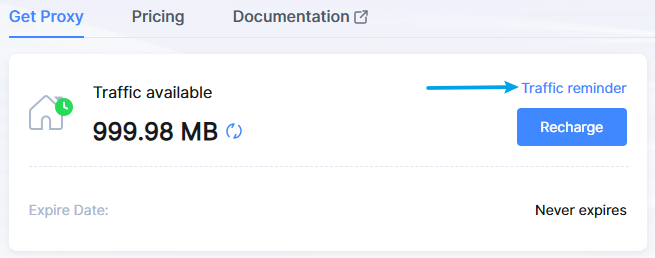
Ensure the status is set to “Enable”, then click “Confirm” to save the settings.
2. Usage Limits
Purpose: To limit traffic consumption of sub-users and prevent overages.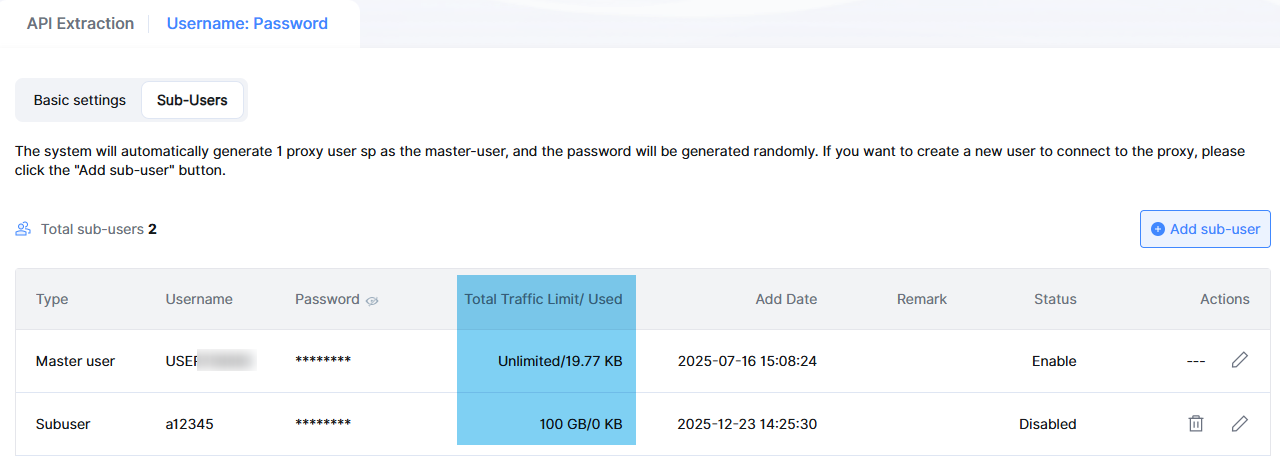
Tips: Alert Threshold: Recommended at 10–20% of total traffic (e.g., 10–20GB for a 100GB plan).