I. Basic Setup Steps
1. Select Proxy IP
Country/Region: Choose from available locations. Proxy IP: Select specific IP addresses.2. Select Hostname
Based on your network IP, select the nearest server. You can also manually choose other nodes.3. Bind Sub-User (Required)
Select an existing sub-user or create one to assign proxy permissions.II. Proxy Generation & Testing
4. Test Connectivity (Optional)
Run in Command Prompt/Terminal: curl -x host:port -U “username:password” ipinfo.io (Replace with your testing command)5. Select Output Format
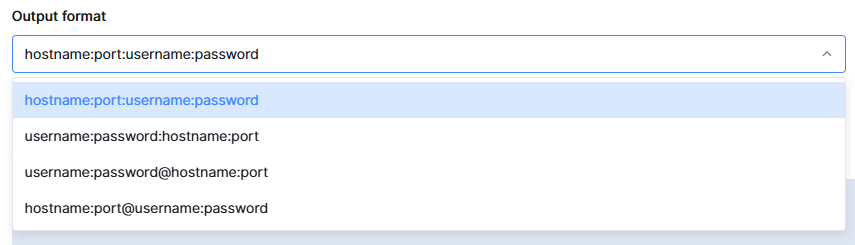
6. Generate Proxy List
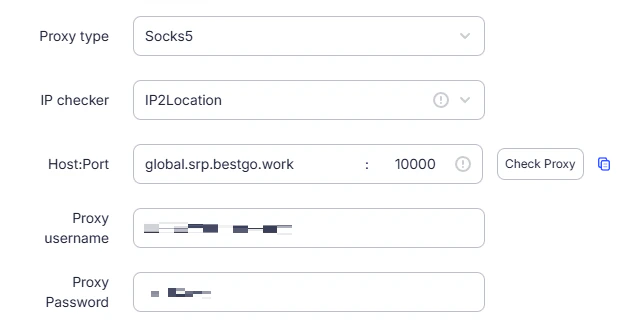
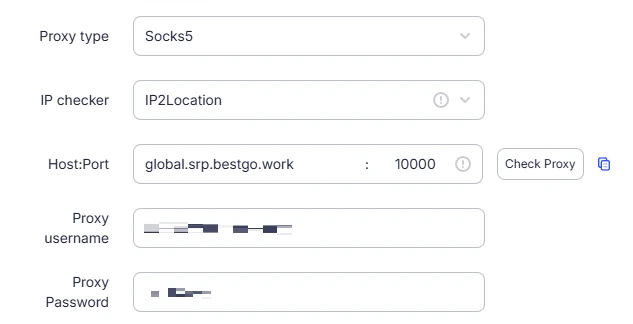
Once generation is complete, check the “Proxy List”, copy the entire proxy information, and paste it into the corresponding field in the fingerprint browser.