I. Purchase Proxy IPs
You can select the proxy IP type, target country/region, IP duration, and purchase quantity. Choose the Self-select subnet according to your needs, confirm the configuration, click Order Now, and complete the payment.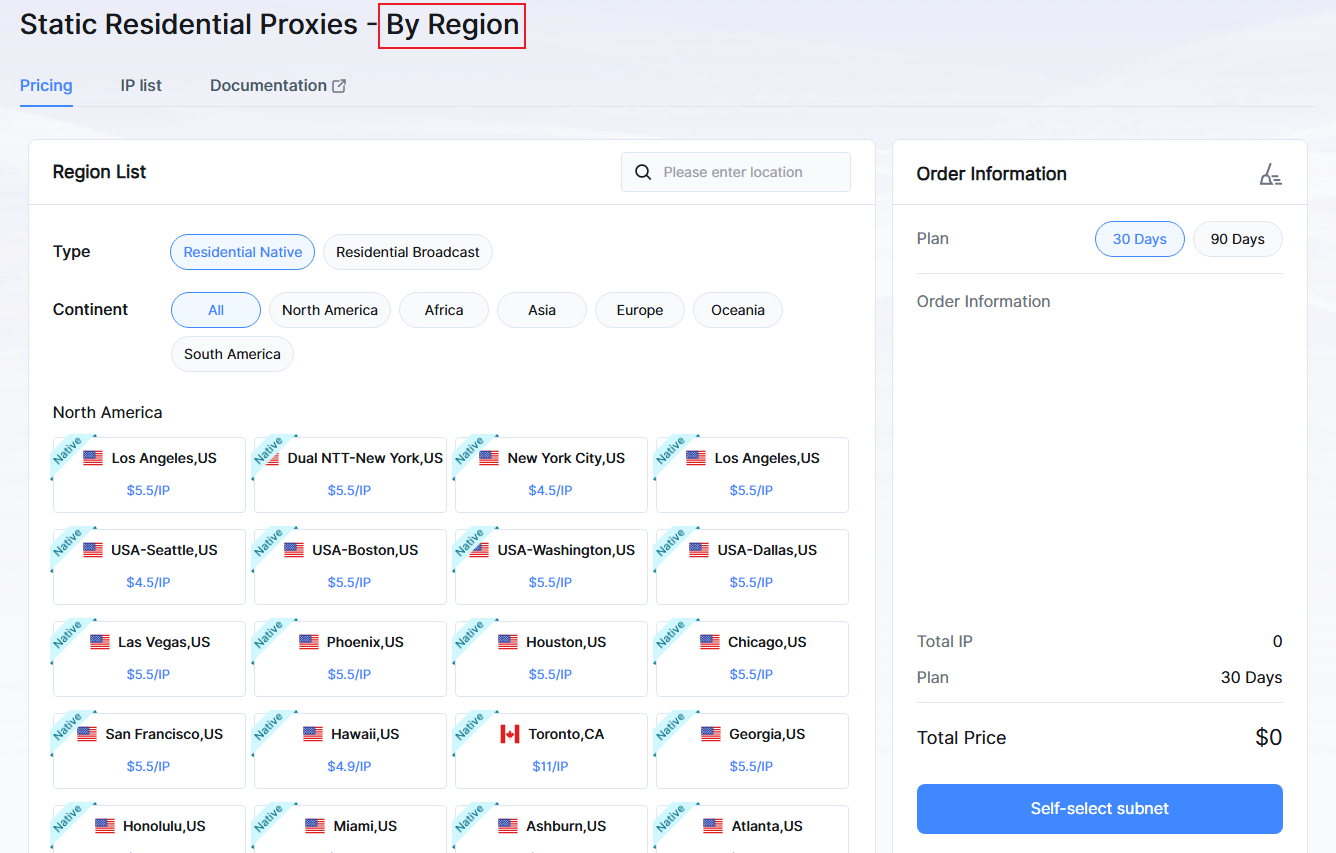
II. Get Proxy Information
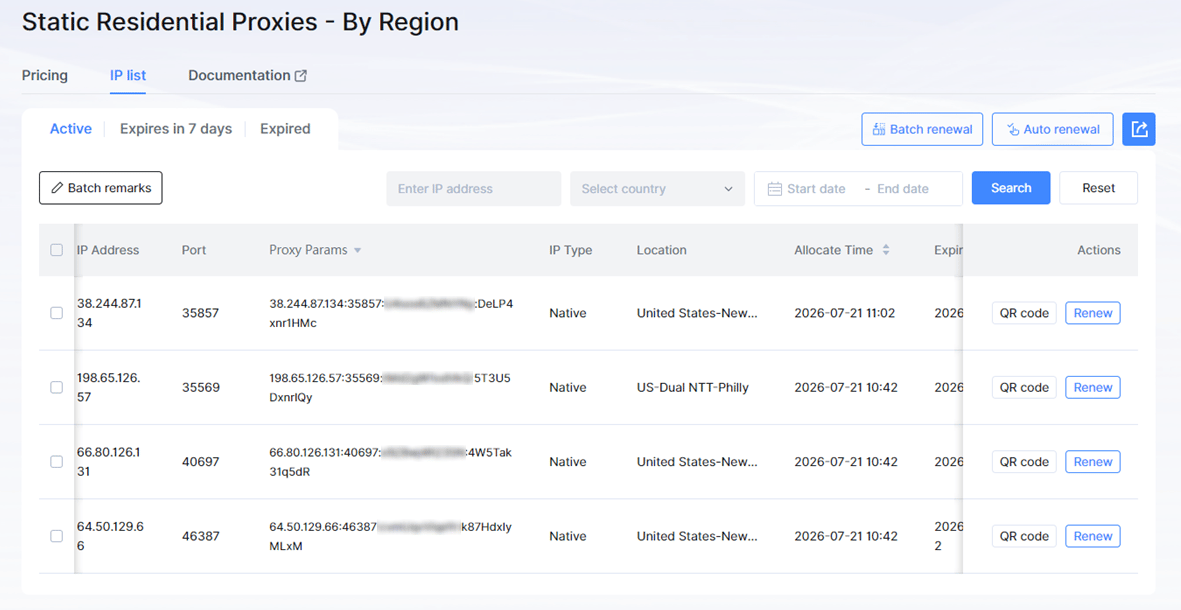
Go to Dashboard → Static Residential Proxies-By Region page, and copy the proxy params you get from the IP list. This information usually includes: Hostname, Port, Username, and Password, which can be directly configured in any application or tool. If you need to configure the IP on a mobile device, go to IP list → Actions → QR code, then scan the QR code with the APP to quickly set up the proxy.